
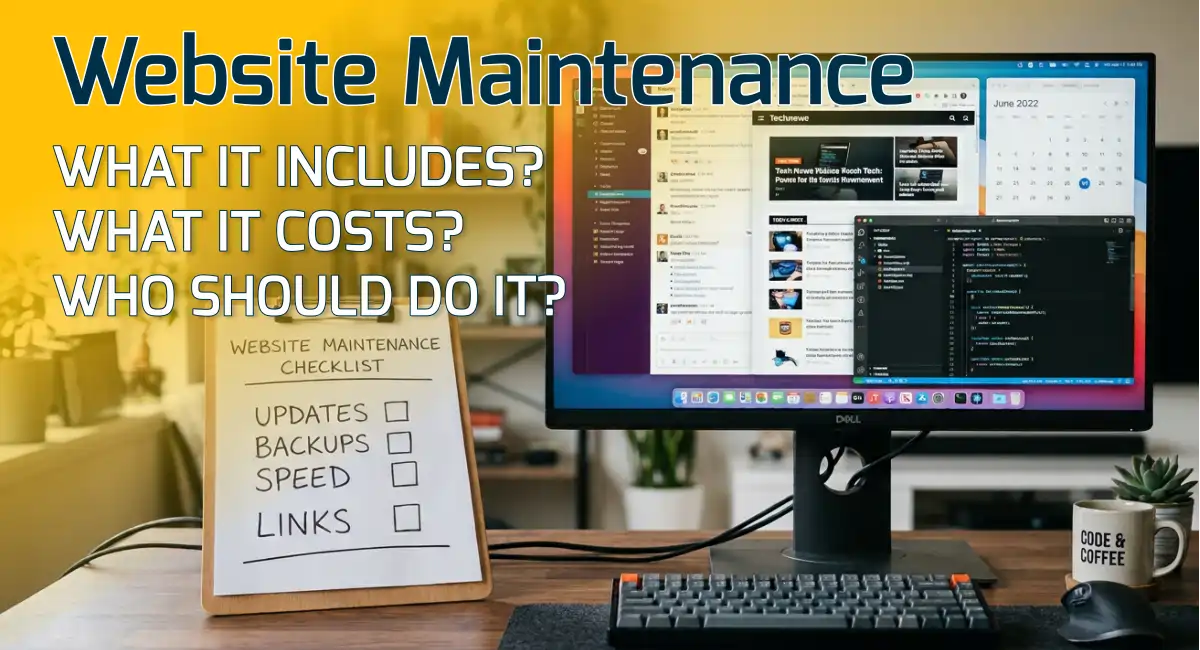
A website isn't a brochure you print once. It's closer to a work truck: it runs well when someone looks after it, and it breaks down in expensive, embarrassing ways when no one does. Website maintenance is the routine care that keeps a site working the way it did on launch day.
If you're a business owner, you probably don't want to become a part-time webmaster. You do want to know what maintenance covers, what happens if you skip it, and who should be doing it. This guide covers all three.
What Is Website Maintenance?
Website maintenance is the ongoing work of keeping a site updated, secure, fast, and accurate after it launches. That includes updating the platform and plugins, keeping backups, checking that forms and links still work, fixing errors, and refreshing content that has gone out of date.
It isn't a redesign, and it isn't marketing. A redesign changes how the site looks and is built. Marketing brings people to it. Maintenance makes sure that what they find when they arrive actually works.
Most websites don't fail all at once. They decay: a little slower, a little less accurate, a little less safe, every month nobody looks.
What Website Maintenance Includes
Here's what routine care covers, in plain English.
Updates
Your platform, plugins, theme, and server software all release updates. Some add features, but many fix bugs and close security holes. Skipped updates also cause compatibility problems, so a plugin that worked last year can break when the platform moves on without it.
Security Checks
Security means a firewall, malware scans, strong logins, and sensible user permissions, plus a quick look for anything suspicious. Websites that aren't maintained are far more likely to be hacked, and cleaning up after a hack costs much more than preventing one.
Backups You Can Restore
A backup only counts if you've confirmed it works. Good maintenance includes regular, automatic backups stored away from the site itself, and an occasional test that you can actually restore one.
Hosting, Domain & SSL Renewals
Your hosting, domain, and SSL certificate (the browser padlock) all expire if no one renews them. A lapse can mean a "not secure" warning or an offline site, so good maintenance tracks every date.
Speed & Performance Checks
Sites get heavier over time as new images, plugins, and pages pile up. A routine speed check catches the slowdown before your visitors do.
Links, Forms & Booking Tools
Contact forms, phone links, and booking buttons are how visitors become customers, and they can quietly stop working after an update. Testing them regularly is one of the highest-value things maintenance does.
Content Updates
Hours, services, prices, staff, photos, and reviews change as a business does. Keeping them current is part of maintenance too, and it's often the part that gets skipped.
Search Health Checks
Maintenance also means watching for crawl errors, broken pages, missing redirects, and indexing problems in Google Search Console, so small issues don't turn into lost visibility.
Not sure how your site is actually performing on these metrics? Get in touch and I'll take a real look, no obligation.
How Website Maintenance Improves Performance
- Removing what you no longer use. Old plugins and unused scripts slow every page, even when no one sees them.
- Compressing new images. One uncompressed photo can undo a month of careful speed work.
- Keeping caching working. Caching settings can stop doing their job after an update, so pages load slower without any visible error.
- Watching real-world scores. Google measures loading and responsiveness through Core Web Vitals, and a quarterly check shows you when a score slips. My guide to what web development includes explains these measures in plain English.
- Monitoring uptime. A site that's down isn't working, and you'd rather hear about it from a monitor than from a customer.
Why Broken Links and Outdated Content Hurt User Experience
Visitors don't think, "this site needs maintenance." They think, "I don't trust this business." Small failures add up to that conclusion quickly.
Viewing on a phone? Rotate your screen to landscape for the best view of this table.
| What a visitor sees | What it tells them | The fix |
|---|---|---|
| A "Book now" button that goes nowhere | The business may not be responding | Test every button and form regularly |
| Hours or prices that are out of date | No one is paying attention | Review hours, services, and prices on a schedule |
| A footer that says "Copyright 2022" | The site was abandoned | Update the footer and review old pages |
| A layout that breaks on a phone | The business isn't keeping up | Check the site on a phone after every update |
| An expired event or old announcement on the homepage | Nothing here is current | Remove or replace outdated posts/content |
How Website Maintenance Helps SEO
Maintenance doesn't guarantee rankings, and no one can promise that. But it protects the things that make ranking possible.
- Google can only rank what it can crawl. Broken links, missing redirects, and error pages get in the way of that.
- Speed and mobile experience shape how people use your site. Pages that load slowly lose visitors before they read a word.
- Fresh, accurate content gives people a reason to stay and return. Out-of-date pages do the opposite.
- Clean structure keeps working. Titles, headings, and sitemaps drift as pages get added or removed, and maintenance keeps them tidy.
This is part of the idea in my post on why a well-built website is the real foundation of local SEO: SEO builds on a site that works, and maintenance keeps it working.
Do It Yourself, Use a Builder's Built-In Care, or Hire Help?
There are three realistic ways to handle website maintenance. The right one depends on how much your site matters to your business and how much time you want to spend on it.
Viewing on a phone? Rotate your screen to landscape for the best view of this table.
| Option | Best for | What you handle |
|---|---|---|
| Do it yourself | Simple sites and owners comfortable with technical tasks | Updates, backups, security, speed, and testing |
| A website builder's built-in care (Wix, Squarespace) | Small, simple sites | Content and basic settings, since the platform handles updates |
| Hiring a developer | Sites that bring in leads or revenue | Mostly content and decisions |
Doing it yourself works if you set a schedule and stick to it, and the schedule below is built for exactly that. Builder platforms take platform updates off your plate, but the trade-off is control, and if you ever want out, a secure website migration can move you to something you own. And if you hire help, treat it as a partnership: you should be able to see what's covered, who does it, and what happens if you decide to leave. I cover ownership in my technical FAQs.
A Simple Maintenance Schedule
You don't need to do everything every week. This website maintenance schedule keeps a typical small business site healthy.
| How often | What to do |
|---|---|
| Monthly | Apply updates; confirm backups ran; test forms, phone links, and booking buttons; check that the site loads; review hours, services, prices, staff, and photos |
| Quarterly | Run a speed test; scan for broken links; review Search Console for errors; skim analytics for drops; remove outdated posts; review and remove unused plugins; test restoring a backup; review who has logins |
| Yearly | Renew your domain and hosting |
Before Hurricane Season
If your business is in Tampa Bay, add one more item each spring: confirm your backup restores, and make sure you know how to post a closure notice or update your hours quickly. When a storm is coming is not the moment to learn how.
What Does Website Maintenance Cost?
It costs your time, someone else's, or both. Doing it yourself costs only time, and often more of it than people expect. Paid plans usually run as a monthly fee that varies with the size of the site and what's included. My Tampa Bay website cost guide covers what small businesses typically pay, and my pricing page explains what's included in my packages.
I offer optional maintenance plans for the sites I build, quoted alongside the project, so you know the cost before you commit.
Signs Your Website Needs Maintenance Now
- It's noticeably slower than it used to be
- You see update warnings in your dashboard that have been sitting for weeks
- Your browser or Google shows a "not secure" warning
- Contact form emails have stopped arriving
- Your hours, prices, or services are out of date
- The layout looks broken on a phone
- No one has logged in and checked anything in six months
If you recognize two or more of these, it's time for a check, not a redesign.
The Bottom Line
Website maintenance is the unglamorous work that keeps everything else working: your speed, your security, your search visibility, and your customers' trust. You can do it yourself with a schedule, lean on a builder's built-in care, or hire help. What matters is that someone is responsible for it. If you'd like a straight answer on what your site needs, you can book a call. I work with businesses across Tampa Bay, and I'll tell you honestly what your site needs and what it doesn't.

About The Author
Hector Morales
Hector, Founder & Lead Designer of Online Survival, brings over 20 years of experience in web design, WordPress development, graphic design, and digital strategy. He helps businesses create custom websites built around clarity, performance, and long-term growth.
Frequently Asked Questions
How often should a website be maintained?
Plan on a light check every month (updates, backups, forms, phone links, and your hours and prices), a deeper review every quarter (speed, broken links, search errors, plugins, and backup restores), and a domain and hosting renewal check every year. Sites that change often, such as online stores, need more frequent attention.
Can I maintain my own WordPress website?
Yes, if you're comfortable in the dashboard and you follow a schedule. Updates and content edits are easy to do yourself. Backups you've actually tested, security checks, and performance tuning are where most owners need help. My WordPress web design page explains how I handle this for my clients.
What happens if I don't maintain my website?
Nothing dramatic at first, and that's the trap. Over time, the site gets slower, plugins fall out of date, forms or links can quietly break, and the risk of a hack goes up. Fixing a neglected site later usually costs more than looking after it along the way.
How much does website maintenance cost?
It depends on the size of the site and what's covered. Doing it yourself costs only time, and paid plans usually run as a monthly fee. My Tampa Bay website cost guide covers typical costs, and my pricing page shows what's included in my packages.
Do I need maintenance if my site is custom HTML?
Less than a WordPress site, but not none. A hand-coded HTML site has no plugins to update and a smaller attack surface, so it needs far less. You still need hosting and domain renewals, content updates, working links and forms, and speed checks. You can read more about custom HTML web design and how it differs from WordPress.